Did you know that LinkedIn is one of the top 5 sources cited by AI Answer Bots? In the last year, LinkedIn has increasingly been cited as a credible source of information, and the AI Answer Engines cite the people or companies sharing it. Besides Reddit, YouTube, and Wikipedia, LinkedIn is usually one of the top 5 platforms cited by AI Answer Tools like ChatGPT, Perplexity, and Google’s Gemini AI Overviews. And it’s much easier to use than Reddit! It is the place for you to become known as an expert in your field or industry. In the video below, I show you what you need to do to increase your chances of getting cited in the AI chatbots.
LinkedIn: How to Use it to Build Authority, Trustworthiness & Credibility & Get Cited by the AI Bots
How I got started using LinkedIn
I’ve been on LinkedIn since the summer of 2008. When I started my business in 2011, I started blogging and sharing the articles to LinkedIn, Facebook, and Twitter (now X) equally. After a couple of months of steady content marketing, I looked at my website’s analytics and saw that after the search engines, LinkedIn was driving the most people to my site. That convinced me to tweak my profile and company page and get serious about it. Microsoft owns LI. And LinkedIn has become a top source for the AI Answer Engines for trusted, credible content. I’ll cover a few of the basics of the LinkedIn personal and company profiles and the tricks to increase your chances of being cited.
I’m not going into the LinkedIn basics here. I have another article with the videos for both the LinkedIn Personal Profile and the Business Profile.
LinkedIn is one of the top-cited domains
According to some sources, LinkedIn is the 2nd-most cited domain by LLMs — Large Language Models, the AI answer engines: ChatGPT, Google AI Overviews, Google Gemini AI Mode, Perplexity, and Claude. I’m not making this up! Look at these charts in the video! I like to say that LI is among the top 5. Its ranking will vary by the source.
What’s great is that LinkedIn is way easier to use than Reddit and less time-consuming than making YouTube videos.
The Top Things to Fix on Your LinkedIn Profile
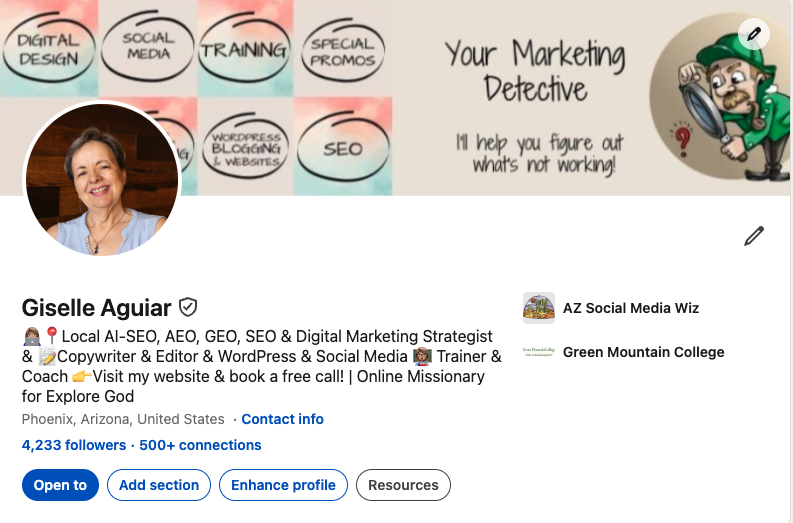
- You should have a vanity URL. When you view your profile, if you look at the top address bar and see a bunch of numbers at the end, you want to get rid of them. Click on “Edit your public profile” in the upper right to get your Vanity URL with just your name. Click on the pen icon to edit. The pen icon is all over your profile sections and where you can edit them.
- Optimize your personal profile. It’s more than just your resume. If you own your business, your profile should not give the impression that you’re looking for a job. You want to become known as an expert in your field or industry and establish credibility. It helps with reputation management & Google searches (SEO) and AI citations. You also have a few seconds to catch someone’s attention and make a good impression.
- Upload a professional-looking headshot. No selfies, please.
- Then you have your headline. Use emojis. You have 220 characters. Use them. The first line is the one that shows when you post something. Make it count.
- Your company logo. When you click on your logo and company name, it goes down to your experience. You need to have a Company Page connected.
- Get a verified account. It’s free. You’ll need to have the LI mobile app installed on your phone. It will walk you through the process.
- Upload a cover graphic. It’s a FREE BILLBOARD! The exact dimensions are 1584 x 396 pixels. Click on the pen icon in the upper right to add or change yours. Please don’t leave the boring blank one. Create it in the free graphic tool Canva.com.
- Your current contact info.
It’s important to have your current contact info. If someone asks me for a referral, I certainly won’t give them a person who doesn’t have a way to contact them! You can add your phone number if you want people to call you; an address if you have a location where you want clients and customers to visit. Plus, this is a place to put your website links, that creates legitimate backlinks to help with SEO. Scroll down to the bottom right and click on Edit content info. - Ask for recommendations. A recommendation is written by someone who knows you or your work. Don’t ask people who don’t know you for a recommendation. If you’re on someone else’s profile, you can click on “Add Section…” to ask someone for a recommendation. You must be connected to a person before you ask them for a recommendation.
- Fill out your “About” section completely. Your About section is very important because it tells people and the AI bots what you do, what you’re good at, and why people should hire you, buy your products or services, or cite your content. Click on the pen icon to edit.
- It’s not your life story! It’s a summary of who you are and what you do, your company & what you have to offer.
- A brief description of positive business relationships.
- You have 2600 characters here. Use them!
- Get down to business. Use keywords, and avoid long paragraphs.
- Create bullet points. Use emojis. They are eye-catching.
- Make sure that it doesn’t sound like you’re looking for a job, and this isn’t your full company profile. This is about YOU. Here’s where you toot your own horn. What are your passions? Why did you start your company? Where you’ve done public speaking, name dropping, etc.
- Use the Featured section. Add links to your videos, blog posts, LinkedIn posts & articles, promos, and upload files, PDFs, and SlideShare presentations. Update them regularly. This helps with SEO, credibility, and exposure!
Rolling Out! AI-Powered Search!

You can search for people, groups, companies, jobs, articles, and posts. Search by keywords and names, and very soon you will be able to ask it questions because it will be AI-powered. By the way, “rolling out” means that not everyone sees it at the same time.
Here’s where the old Rolodex gets left in the dust.
For instance, several years ago, a client of mine asked me if I knew of a commercial contractor with experience dealing with the city of Tempe. I searched for “contractors” and then for the location of Tempe. If that was AI-powered, my client could have asked it, “I need a commercial contractor who is experienced in dealing with permitting in the city of Tempe.” It’s a bit more specific. This would open the search up to contractors who weren’t necessarily in Tempe, but have experience working in Tempe. Big difference.
Posting, Sharing, and Writing on LinkedIn
From the home screen, you can start a post by writing a message or sharing a link. Share an image, or upload a video (no more than 15 minutes long). I’ll get into “write an article” in a bit.
Should you upgrade on LinkedIn?
Should you upgrade? Well, it depends on what you want to accomplish. One benefit is that you can message or email someone who is not in your network. What’s nice is that you can try it for free. Try it for 30 days and see if it helps. I did learn that as a premium member, you can put a slideshow as your cover graphic. Click here for more details.
Create a LinkedIn Company Page
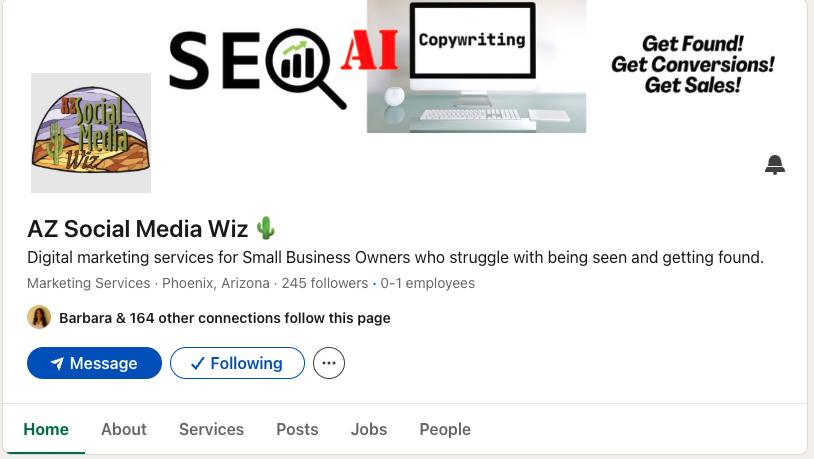
These are the Business Listings on LinkedIn. In the olden days, we had phone books. The White Pages were the people listings. That’s your personal profile, and the Yellow Pages were the business listings. LinkedIn works the same way.
A company should not have a personal profile. Think of this as an extension of your website. It’s a free listing and a free billboard. Cover graphic dimensions: 1128 x 191. This is part of your online image! Also, note that the cover graphic is a different size than the personal cover graphic. Again, use the free graphics tool, Canva.com, to create a custom graphic in the exact dimensions.
If you don’t have a LinkedIn Company Page, click here to set one up.
Start with Company. They’ll walk you step by step. A showcase page is a sub-page where you can highlight products or services that you offer. You can add those later.
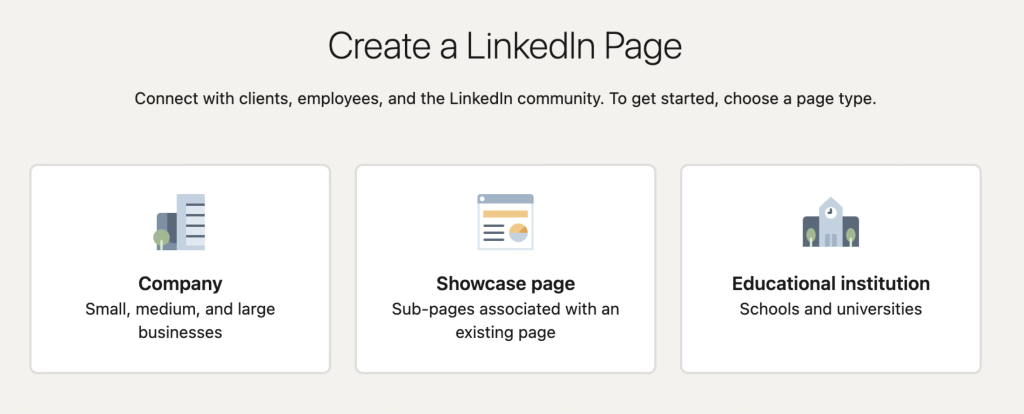
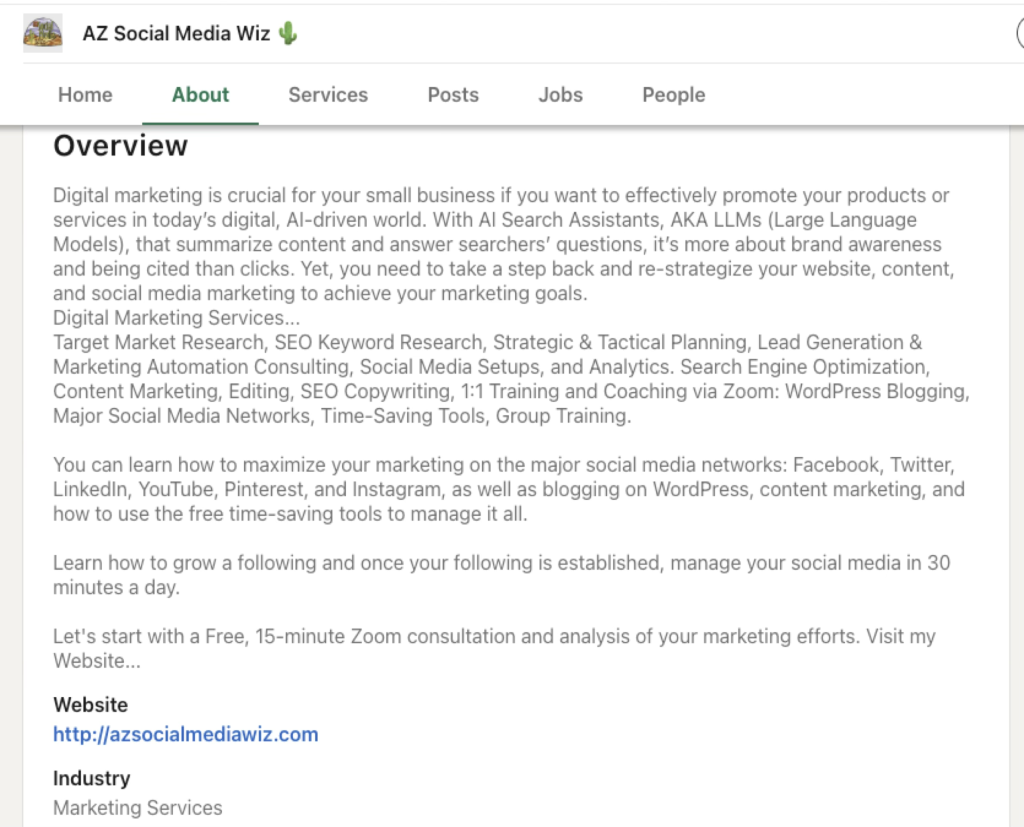
Follow the prompts to create your page. The Company Overview or About section can have up to 2000 characters. You have the space — use it! The description should be keyword-centric. Add your Website. It’s another backlink. It helps if you’ve already done some keyword research to find the most popular search terms that are relevant to your business. Fill out everything.
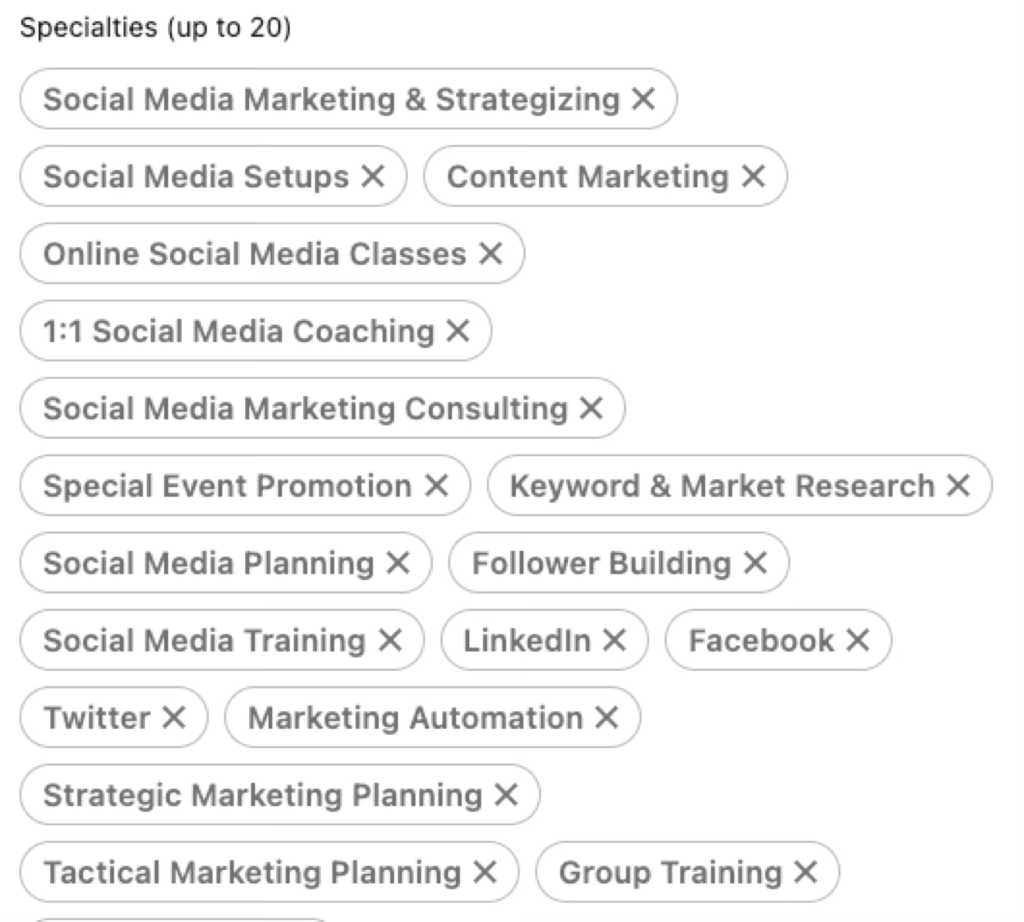
Next, add up to 20 specialties. These are keywords that help you come up in searches. Important!
Connect Your LinkedIn Company Page to Your Personal Profile
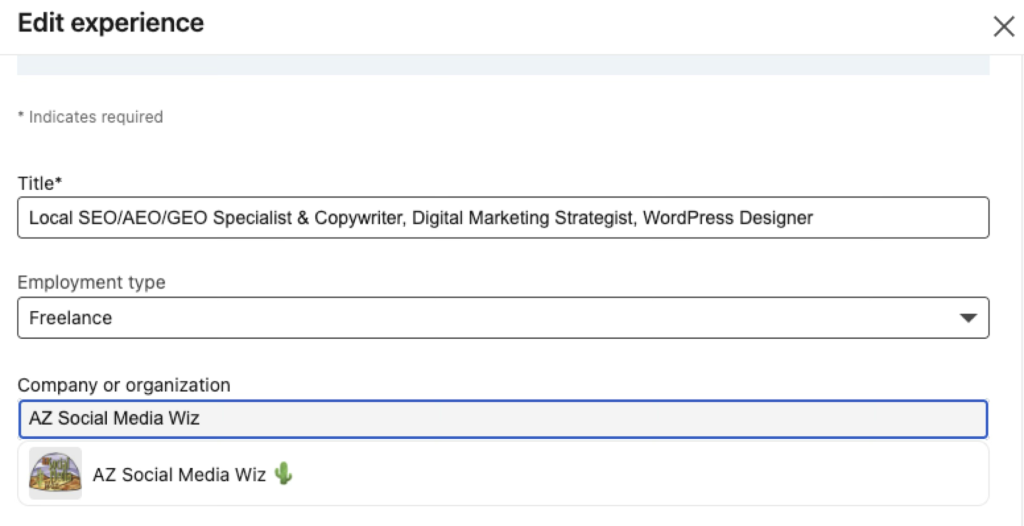
This is a crucial step that many people miss — connecting your company page to your personal profile. Once you’ve created your company page. Go back to your personal profile and go to your experience. The top one should be your current company. Click the edit pen icon, go to the Company or organization section, and start typing your company name. Click on it when it comes up. Here you can also expand on your experience and expertise. You get a lot of space. Use it.
If you need help writing your descriptions, I can help you. I can also walk you through all the steps so you don’t miss any of them.

How to Build LinkedIn Growth Architecture
Turn your professional profile into an AI-powered lead generation engine in about 30 minutes a day!
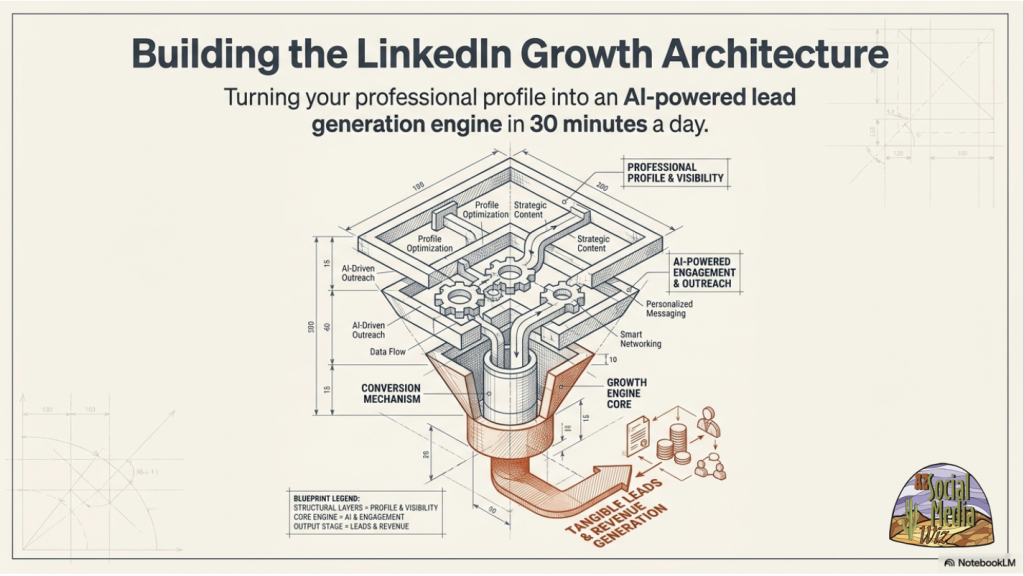
Now, we’re going to get down to the nitty-gritty — to why you’re here. How to turn your LinkedIn profiles into an AI-Powered lead generation engine in about 30 minutes a day. Plus, how to increase your chances of getting cited in the AI search bots.
You might be sceptical about the 30 minutes a day part, but understand that at first, yes, it will take you a bit more time while you get used to using the platform and the tools to create posts and graphics. But just like driving a car or riding a bicycle, it will become easier and take you less time to do what you need to do as you work on this regularly.
For instance, take profile optimization. It may take you 30 minutes or more to optimize your profile, but once that’s done, it’s done. You may need to tweak it every so often, but that’s a minor task.
By the way, the set of slides in this section was created using NotebookLM, a Google Labs tool, based on 8 sources, and those are at the bottom of this post.
The Trap: Before we optimized each post for reach — using hashtags and buzzwords that maybe got some eyeballs on it, but they were not your target audience. Thus, you didn’t get any qualified leads. If you chase numbers without strategic intent, you get nothing.
The Pivot: stop treating every post like it has the same job. In other words, stop chasing views and likes and engagement.
LinkedIn is Now an AI-Powered Search Engine. In the video, I showed you that it’s the 2nd most cited domain across major AI tools, sometimes beating Wikipedia, YouTube, Reddit, and news publishers. 11 to 14% of all AI responses reference LinkedIn, driving about 8 million citations per week. The algorithm now understands meaning and synonyms, not just exact keyword matches. It tracks the buyer’s professional journey over time.
In other words, the more a buyer uses an AI tool, the better the tool gets to know their preferences and buying habits.
Bye-bye Vanity. Hello Semantics.
Today the objectives are:
- New Goal: Maximize invisible interactions and AI citations.
- Content: Deep, niche expertise solving highly specific problems.
- Mechanics: Semantic matching (synonyms) and structural formatting.
- Requirement: Specificity. Accounts under 500 followers get cited at the same rate as massive accounts. In other words, the number of followers you have doesn’t make a difference to the AI bots. The content does. However, as you post more content, you’ll get more followers. But remember, that is a vanity metric.
Also, it’s ok if you don’t have lots of connections. It’s OK if you think your target audience isn’t on LinkedIn. Focus on putting out specific content and answering potential customers’ questions. The AI bots will pick it up.
The algorithm rewards invisible engagement.
Visibly: comments matter, but only with comment density. That is deep, conversational back-and-forth replies, not just generic praise. In other words, get people to comment by asking their opinions in the post. Then, respond to their comments. You’ll be notified if someone comments or reacts to your post.
Below the surface is the dwell time: they swiped through a carousel, they read, watched a video, or clicked on an infographic, or they clicked on “More” to expand the post and read all the text. Also, they save it, repost it, or send it to a friend. Those invisible signals push overall engagement up by 14%.
Besides that, there’s a 48-hour window. If a post lacks early engagement, the algorithm buries it permanently.
Here’s what the AI answer bots pick up:
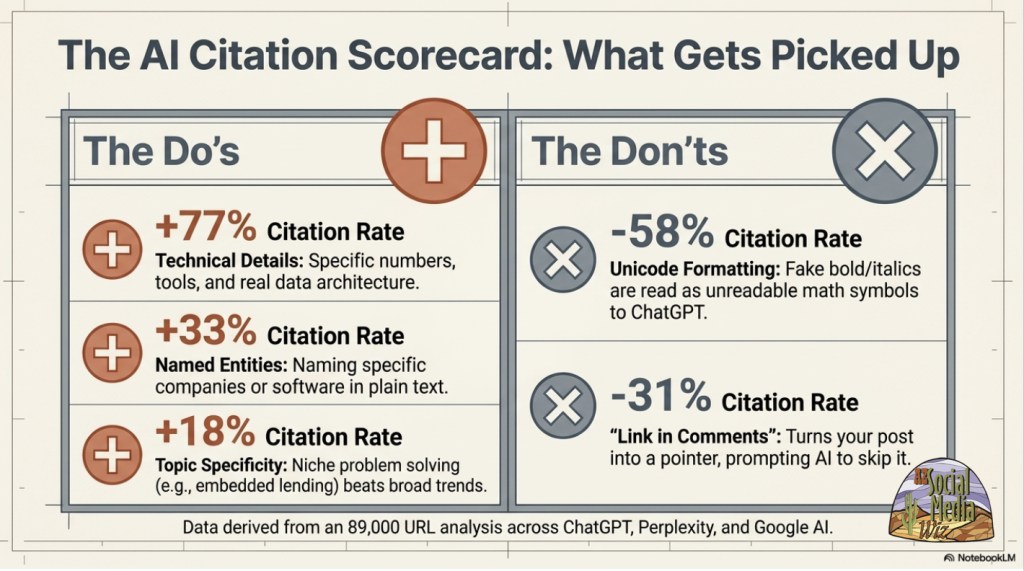
- Technical details: numbers, data, tools.
- Named entities: name-dropping, naming specific companies, products, or services in the post text.
- Topic specificity: Niche problem-solving beats broader trends.
LI has what’s called Unicode formatting. That’s adding bold and italics to text in posts. You see it if you copy and paste from a website and it brings the formatting with it. Try to remove it. It doesn’t help and actually hides the text from ChatGPT.
The trend used to be to put the link in the comments because supposedly, the platform gave it less reach. That may be so, but remember, reach isn’t our goal anymore. It’s being cited by the chatbots. Put links in the text area of the post. You can put more than one.
It’s all about building trust with your content. The same content that shows a potential buyer that you are trustworthy is what the LLMs will pick up as authoritative answers. State the question. Answer the question. Include deep, documented niche expertise.
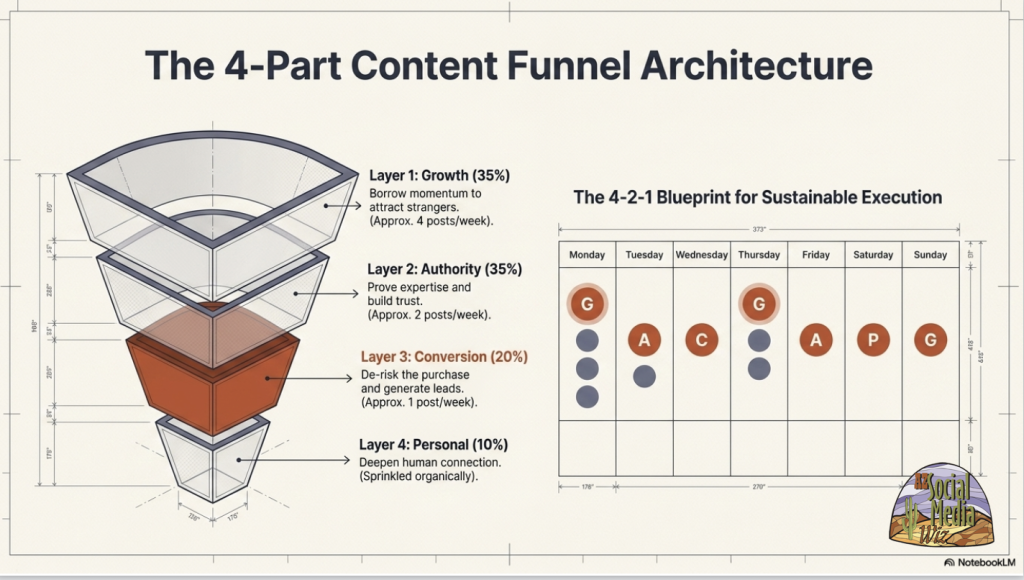
Here’s a blueprint to help guide you in posting.
This is taking the conversion funnel or buyer’s journey and putting specific content where it will work best.
- Top-of-Funnel, Growth Content (35%): Broad industry observations are designed to attract new followers. For example, you could write a “newsjacking” post reacting to a recent industry or economic report.
- Middle-of-Funnel, Authority Content (35%): Share deep expertise and educational posts that build trust using an infographic or a video.
- Bottom-of-Funnel, Conversion Content (20%): These are lead-generating posts. The most effective format here is case studies. For instance, a consultant can detail how an underperforming mom-and-pop self-storage facility went from 60% occupancy to 95% occupancy in six months. Highlight the exact steps taken and provide real numbers as proof.
- Personal Content (10%): Share stories about your journey as a professional or business owner to humanize your brand, showcase your expertise, and deepen connections with your existing network. This helps build trust and credibility.
Let’s break each stage down:
For growth, borrow momentum to attract new followers who match your Ideal Customer Profile or ICP.
- Newsjacking. Borrow attention from trending industry news. For example, last week, Google announced that you can now track social media profiles on the Google Search Console. I reposted that news item from Google, with a short comment.
- Educational Carousels or infographics. The pictures are eye-catching and scroll-stopping. Don’t forget to include a long text message for the chatbots!
- Awareness reality checks. Name a frustration your audience faces but hasn’t articulated yet. Validate their reality without solving it immediately.
Prove your expertise through Frameworks – make the reader believe you can deliver on your promise.
Telling stories of your personal experience. From adversity to a turning point.
- Lesson – a clear takeaway. No trauma-dumping without extracting a concrete lesson.
- Application – exact actionable steps showing how the reader can put this into practice today.
- Visual proof – add photos of you doing the work. But avoid low-status selfies.
Conversion: De-risk the purchase with proof.
- Turn engaged followers into qualified leads by answering unspoken doubts.
- Case studies
- Show massive results
- Before and after pictures
- Make the client the hero, and you’re merely the guide
- Include raw proof: screenshots, text messages, Slack messages.
- Objection handling: identify common sales call pushbacks.
- Address them directly in a conversational post format.
- Execute the sales call before the prospect even books the call. Handle the objections before they bring it up.
Personal: Deepen the connection with the human element:
- The Goal: make your audience remember you specifically, not just your generalized advice.
- The Rule: You must earn the right to share personal content by providing extreme value first.
- The Execution: Share real updates about your journey, behind-the-scenes struggles, or the core “why” driving your business.
- The Warning: Avoid forced corporate parables, like what your dog taught you about B2B sales.
3-Part Infrastructure for Sustainable Execution
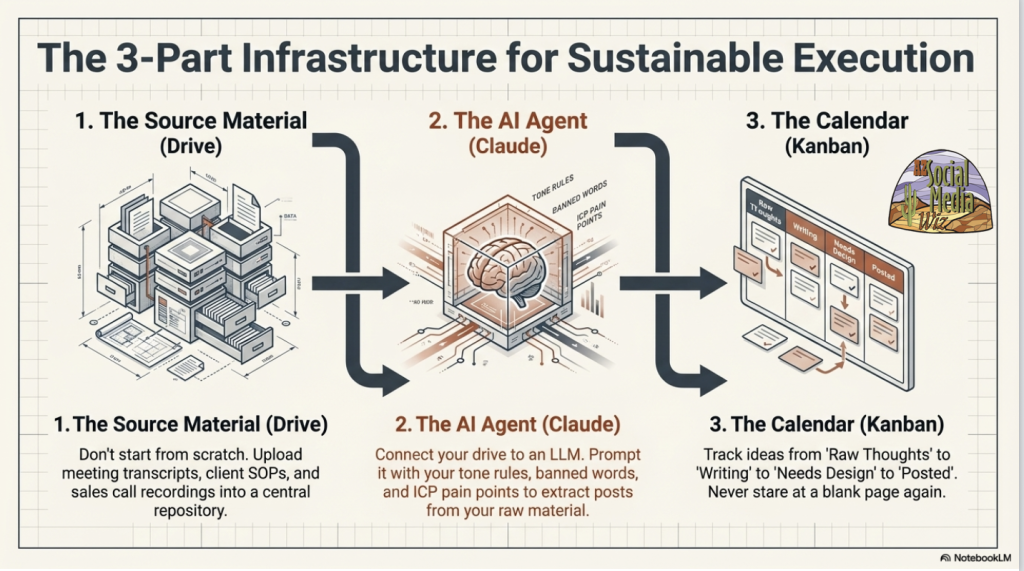
- Source material. Don’t start from scratch. Upload meeting transcripts, standard operating procedures (SOPs), sales call recordings, email messages, videos, and blog posts.
- This example uses Claude. I like NotebookLM. Claude is good for creative marketing messages and creating hooks. I have Google Workspace, which gives you a bevy of Gemini AI tools. Play with both and see which one you like better. I can show you how to use them in a customized 1:1 training session.
- Put a calendar together. This is suggesting a tool called Kanban. Google Workspace also has a tool, as does Claude. Again, play with them and see which you like better. The idea is to organize everything so you have clear strategic and tactical plans.
Reverse-engineer your writing process:
- What’s the intent, like which of the 4 funnel stages is it for?
- Write the body first. Get the framework, specific numbers, examples, etc. for the text part of the post.
- Mine for the Hook. I picked up a Claude “Skill” to write post hooks. There is a special trick to the amount of text that shows in a post before the “… more” to reveal the rest. I will share this skill with you and show you how to use it if you book a training session with me.
- Add a visual. Diagrams, infographics, eye-catching images, and videos.
- Match the call-to-action (CTA) to the intent. Growth – ask a question. Conversion – link to lead magnet.
Last but not least: the Ultimate Visibility Hack.
The GREAT TIP of the DAY! LinkedIn Articles! Posting is good; articles are GREAT!
50-66% of all AI citations come from LinkedIn articles, NOT feed posts!
- Take an original blog post. If you’re betting on Google SEO, good luck. You’ll have better luck repurposing it as a LinkedIn Article. It has a better chance of being picked up than a regular post or sharing a link.
- How long? 500-2000 words. Original, structured, comprehensive. Make it as long as it needs to be to explain whatever it is you’re talking about. State the question. Answer the question.
- It’s OK to duplicate content in 2 different platforms! Simply copy and paste the blogs into LinkedIn articles. Same content, 2 massive indexing pipelines.
- The outcome: a 3-year head start on competitors who are ignoring the AI Search revolution.
How to Write an Article on LinkedIn…
From the home screen, click on “Write article”. If you copy and paste from your website, and the blog is well formatted, it will bring the formatting with it. In this case, it’s OK. Link keywords within the article to other articles on your website to help with SEO.
You can write an article as your page or as yourself. That depends on which profile has more exposure potential. Write it as yourself if you have more followers than your business page — which is usually the case. However, remember that the AI bots grab from both. Thus, it wouldn’t hurt to publish it as yourself first, then in a couple of weeks, republish it as your business.
Have you got your LinkedIn act together?
There you have it. If you consistently and strategically post content on LinkedIn, your reputation as an expert in your field should be enhanced dramatically.